Status
Status lets you track the progress of items in your workspace. You can set a status on any item, including documents, whiteboards, prototypes, clickthroughs, and links, so your team can see what's active and what's complete at a glance.
Setting a status
-
Navigate to the workspace containing the item.
-
In the Status column of the workspace table, click the status badge for the item you want to update. If no status has been set, hover over the row to reveal the Set status button and click it.
-
Select a status from the menu.
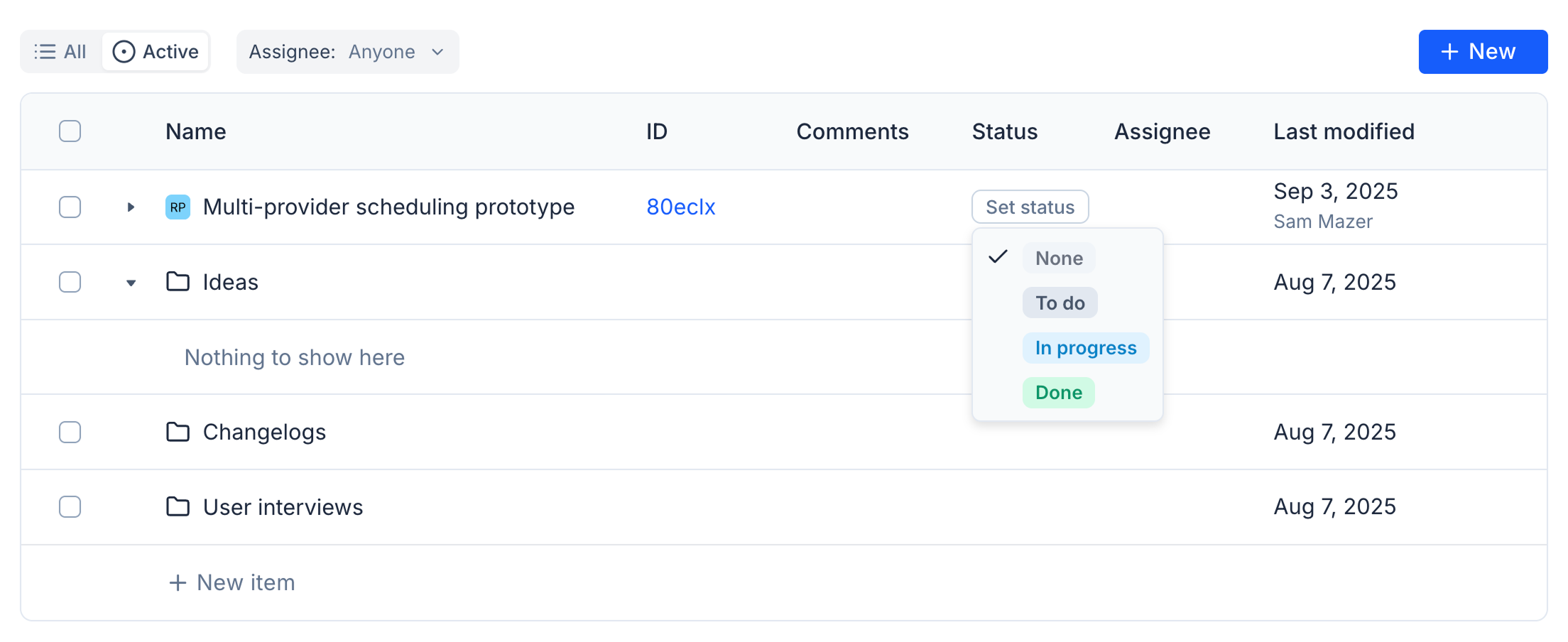
Statuses
-
To do - Work that hasn't been started yet.
-
In progress - Work currently being edited or reviewed.
-
Ready for dev - Work that has been reviewed and is ready to hand off to development.
-
Done - Completed work. Done items are hidden from the workspace by default.
Filtering by status
Use the workspace filter to toggle between viewing all items or only active work. Active work includes everything except items marked Done.
Done items are hidden from the default workspace view. Switch the filter to All to see them.