Publishing Axure RP projects to Axure Cloud
To quickly learn the basics of sharing your Axure RP prototypes, check out the Sharing Your Prototypes module of our Core Training series.
Publishing your Axure RP projects to Axure Cloud is the quickest way to share your prototypes with teammates and stakeholders. Once your file is uploaded, you'll get a link to the published prototype that you can share with others and use on any device with a web browser.
Publishing from Axure RP
-
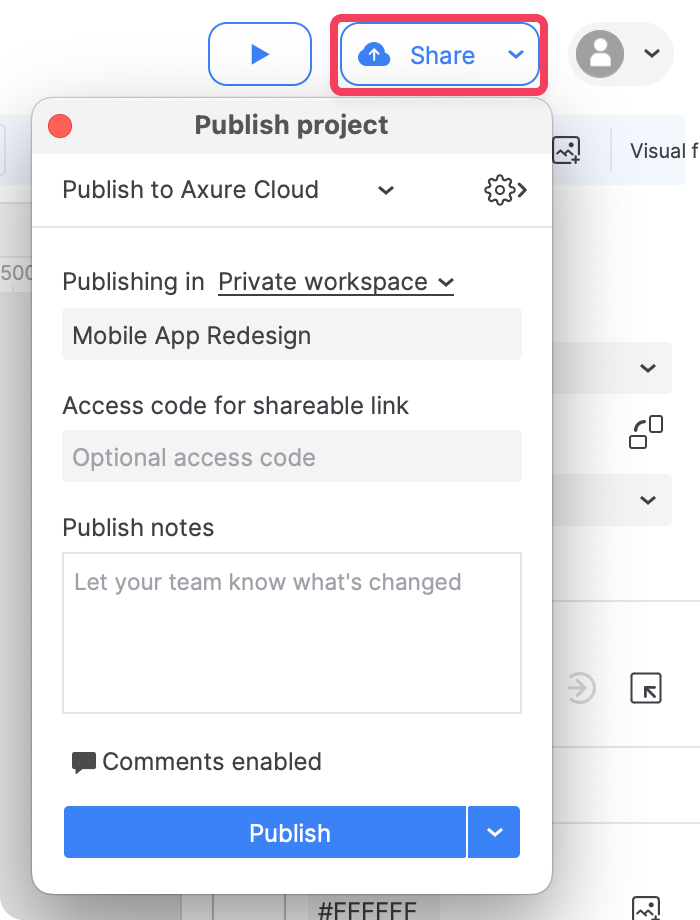
Click the Share icon at the top-right of the Axure RP interface or go to Publish → Publish to Axure Cloud in the top menu.
-
In the Publish project dialog, name the project and choose which of your workspaces to place it in.
-
Set an access code for the project (if desired) and choose whether or not to allow comments on it.
-
If you need to make changes to the HTML generator settings before publishing the project, click the gear icon at the top-right of the Publish project dialog.
-
Click Publish to publish the project. If you aren't currently logged in to an Axure Cloud account in Axure RP, you'll be prompted to log in or create a new account.
If you receive a connection error at this step, check out the article on troubleshooting Axure Cloud connection issues.
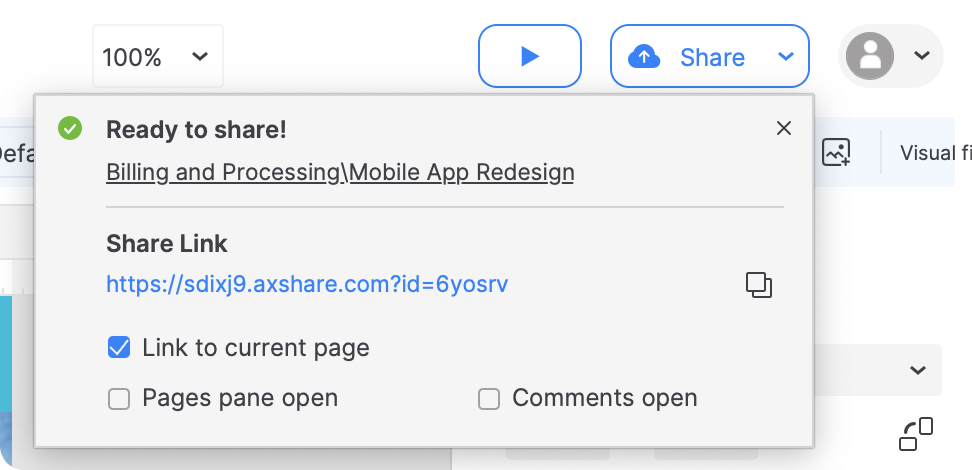
Once the file upload is complete, you'll be given a shareable link for the hosted project.
Publishing updates
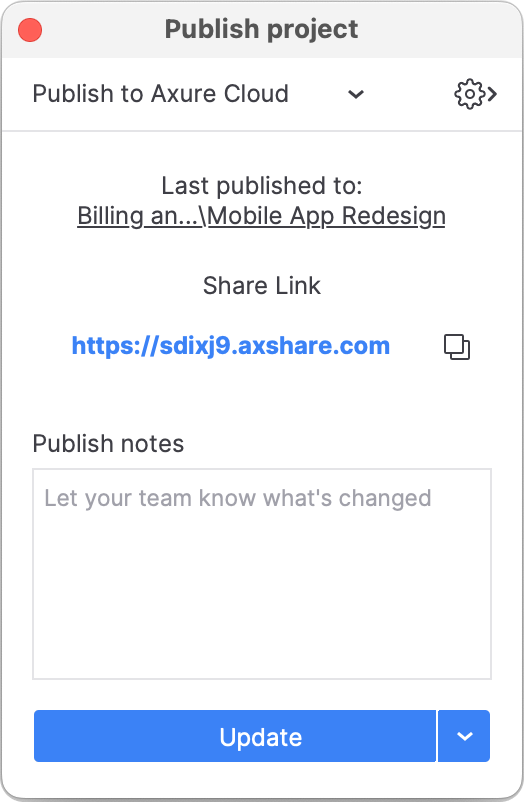
To publish updates to an Axure Cloud project from Axure RP, click Share in the main toolbar or go to Publish → Publish to Axure Cloud in the top menu.
The publishing dialog should be pre-populated with the last project ID the RP file was published to. Click Update to publish the RP file to that ID.
Publishing to a different project ID
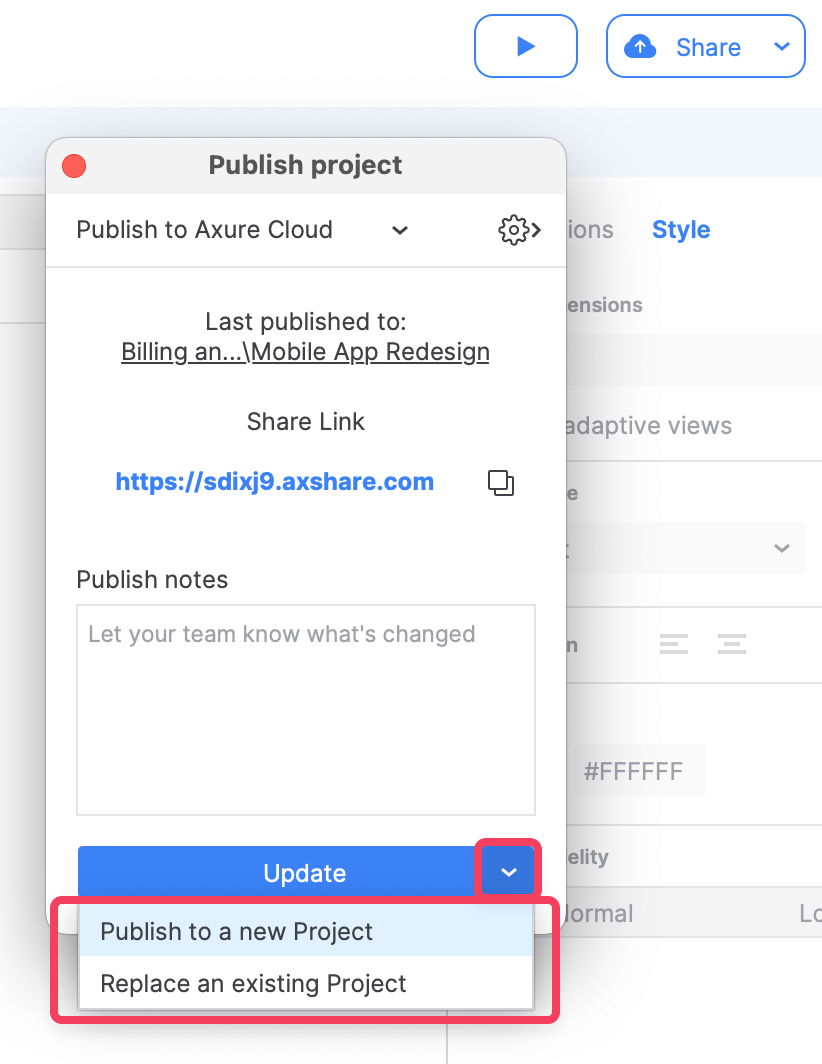
To update a different project ID, or to create a new project from a previously published file, click the dropdown arrow and select Publish to a new project or Replace an existing project.
Sharing Axure RP projects
For more information on sharing published Axure RP projects, including disabling the share link and changing the project access code, check out the article on sharing Axure RP projects from Axure Cloud.